

Why create Department First
Team Members Need Department Assignment
Team Members Need Department Assignment
When someone joins your organization using the
organization code, they must be assigned to at least one department (Teams). Having departments or Teams ready streamlines the onboarding process.Project Creation
Project Creation
Projects can only be created in a Department/Teams, if no Departments have been created you cannot make projects
Capabilities
1. Create Main Departments/Teams
1. Create Main Departments/Teams
You can setup, Main or Root Departments in your Organization. For example:
- Tech Organization
- Agency
- E-commerce
- SaaS
- Manufacturing
- Healthcare
- Engineering
- Product
- Design
- Marketing
- Operations
- Sales
2. Create Sub Departments/Teams within Main Departments/Teams
2. Create Sub Departments/Teams within Main Departments/Teams
You can also create Sub-Departments/Teams within Main Departments/Teams for more granular tracking, For example:
- Tech Organization
- Agency
- Engineering
- Frontend (React, Vue, Angular teams)
- Backend (API, Database, Infrastructure)
- DevOps (CI/CD, Cloud, Security)
- Mobile (iOS, Android)
- Product
- Product Management
- Product Analytics
- User Research
- Product Design
- etc
Creating First Department
Open Magnifi Dashboard
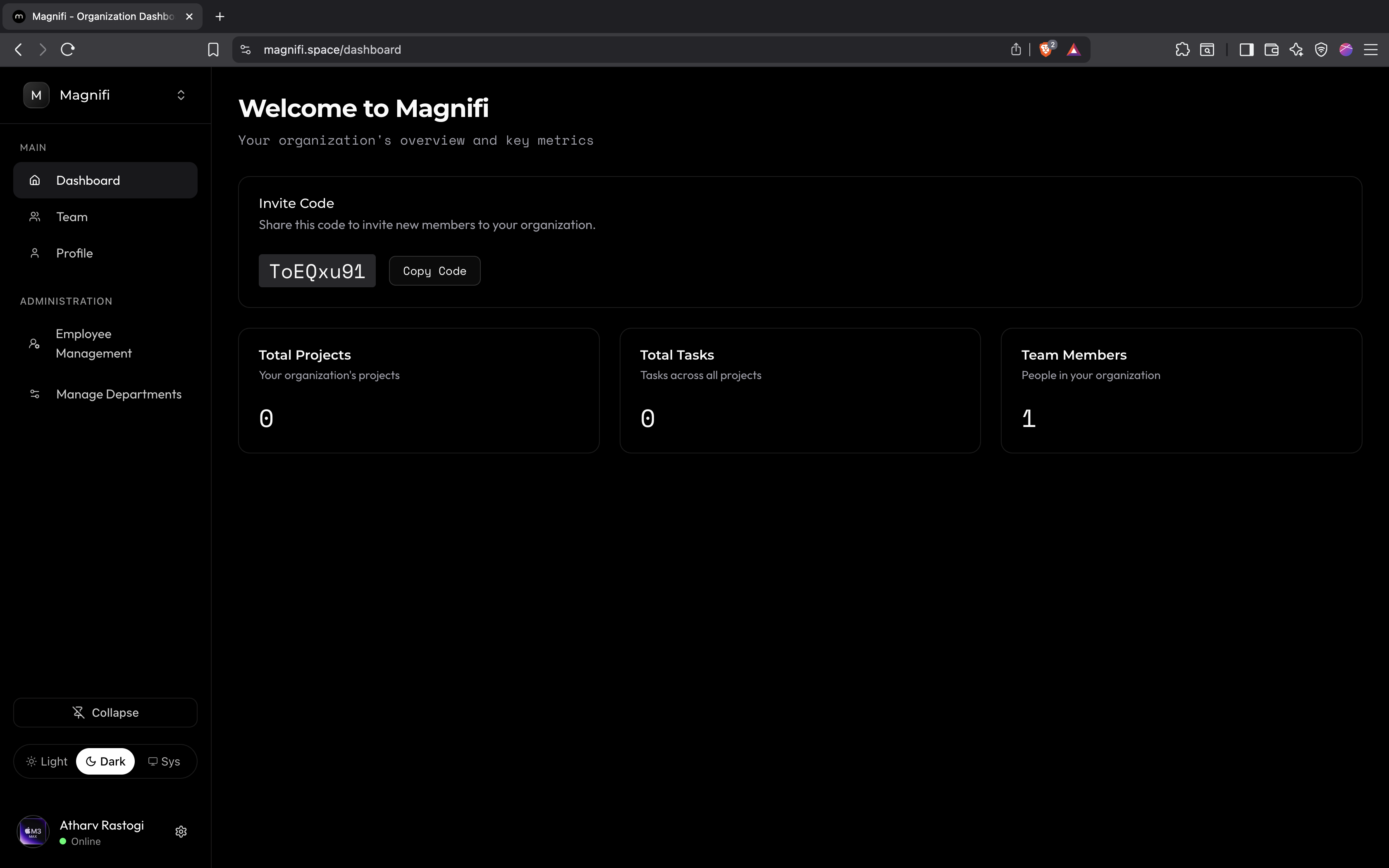
Navigate to Manage Departments Section