

07/15/2025
What’s New
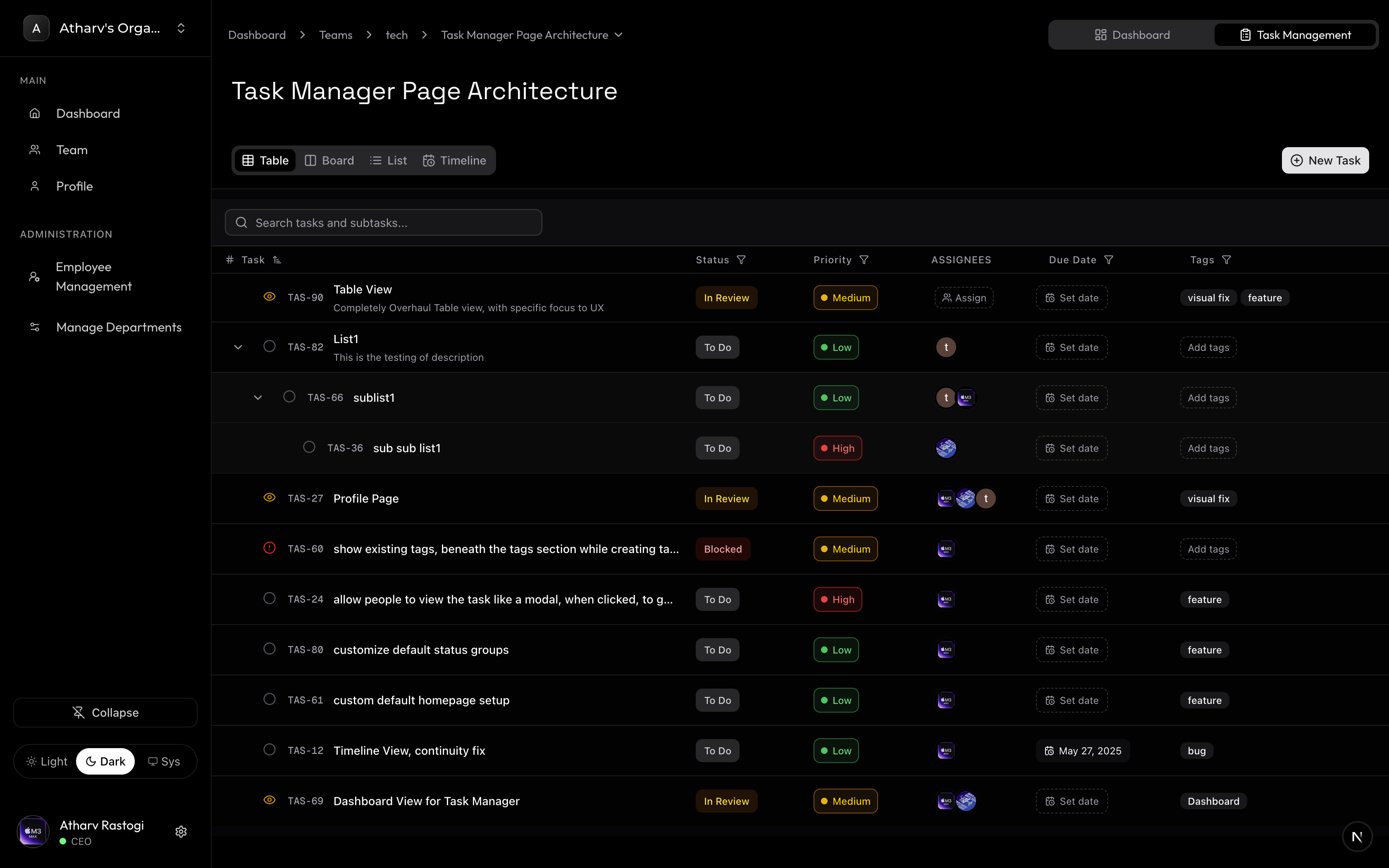
Overhauled Table View Page
- The UX/UI of the Table View Has been completely overhauled, with focus specifically made to UX of the view
-
New UI :
Old UI :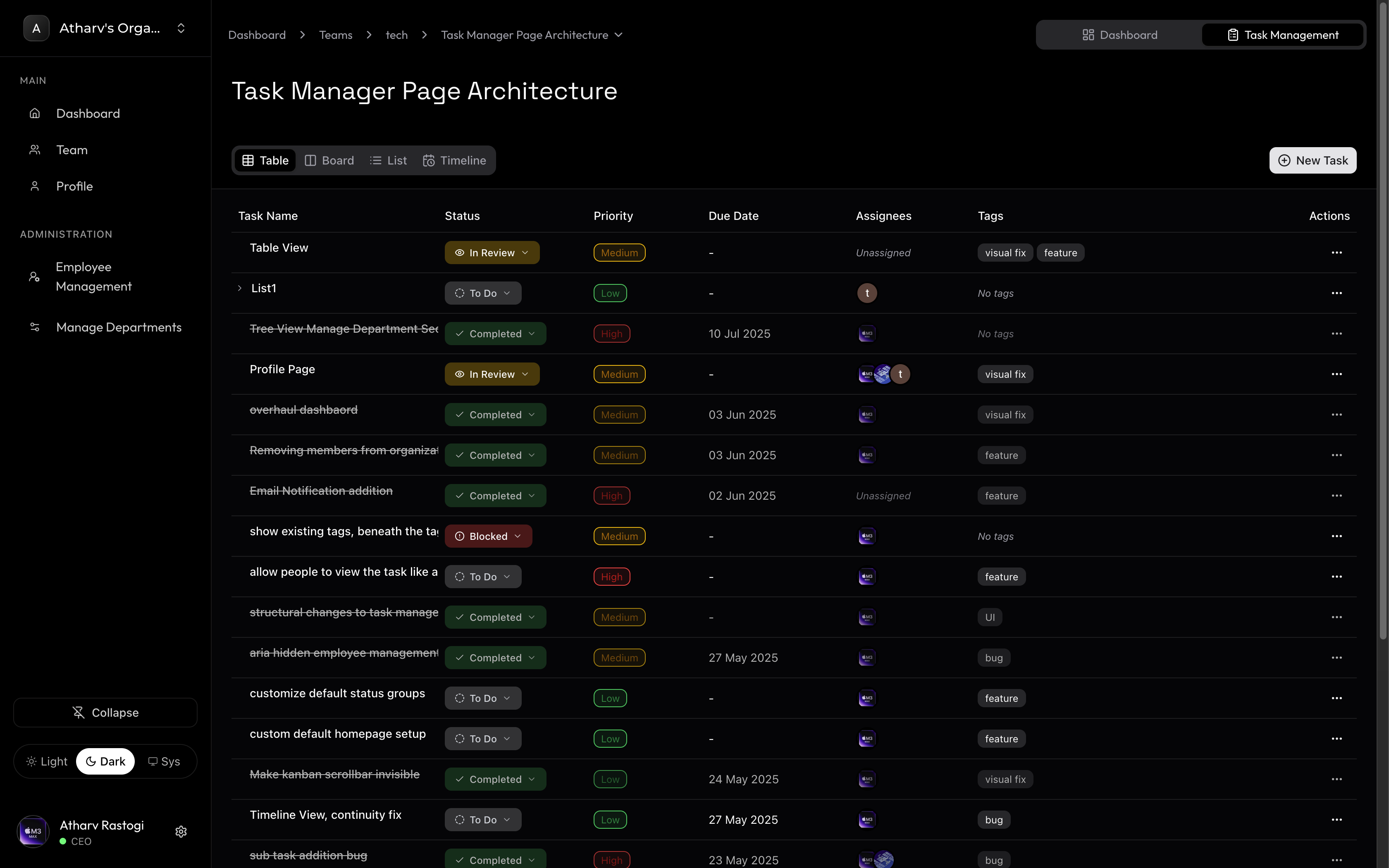
-
Other New Capabilites
1. Sort Mechanism
You can now sort the Table Data for the following Attributes- Task (Alphabatically)
- Status
- Priority
- Due Date
- Tags
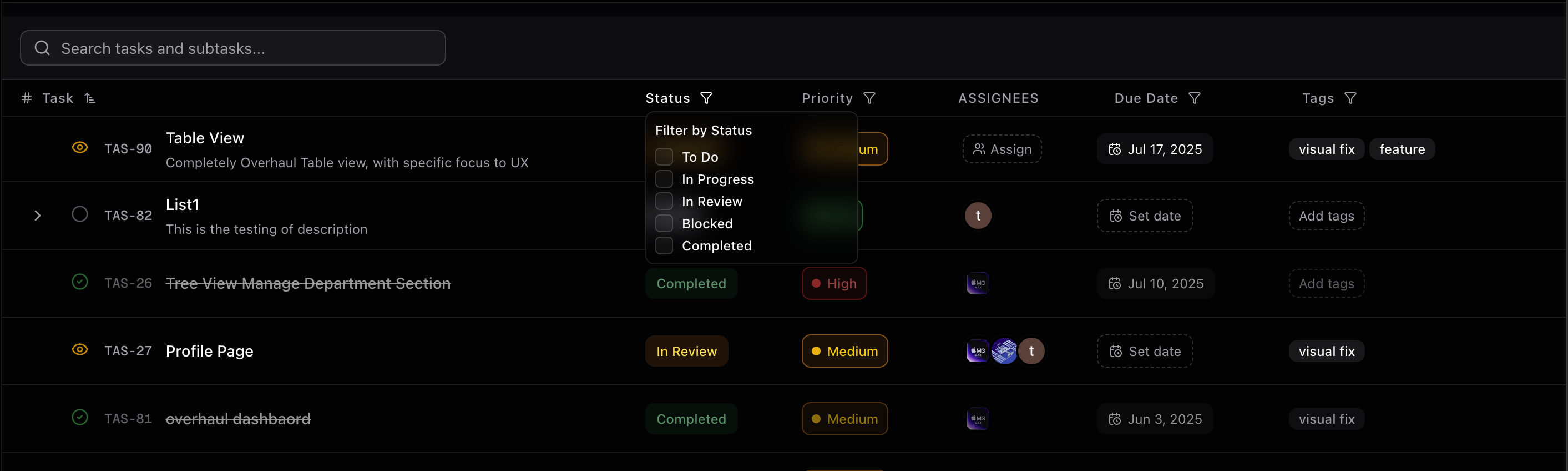
2. Search Feature
You can now search for Task and Sub Task
07/12/2025
What’s New
Overhauled Manage Department Page
-
Redesigned the Entire Department Management Logic, and overhauled the UI.
Acess Docs by clicking Here -
The UI now contains
Flow Diagramsto represent Departments, Nested or Sub Departments
New UI: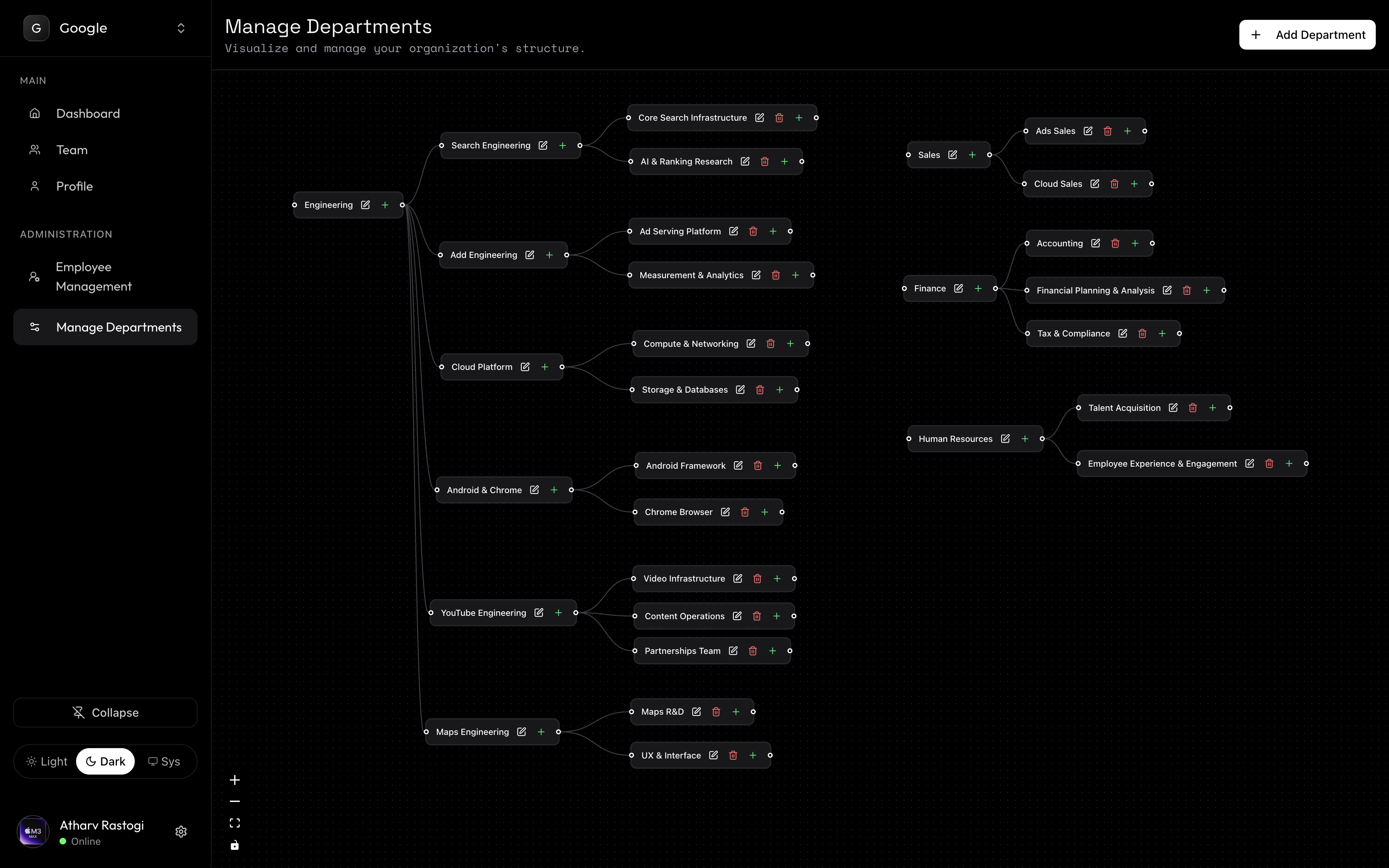
Old UI:
WIth No Nested Department Structure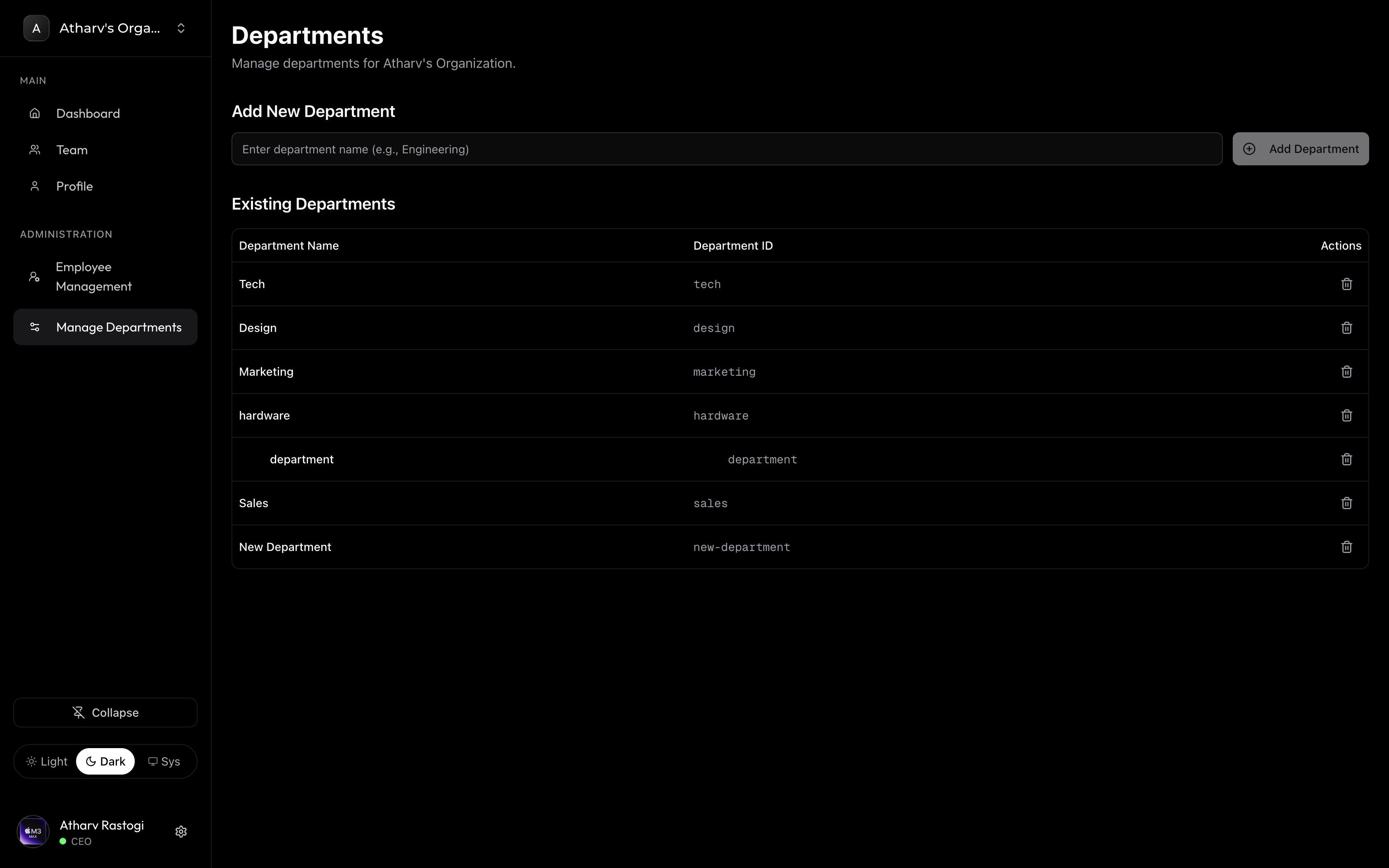
- You can Delete, and Rename Departments right from the Manage Departments Section
Fixes and Improvements
- In Employee Management, the Sub-Departments would be listed along with Main Departments, which created confusion. So we completely removed the option to show Sub Departments
- Earlier after deleting the departments, the employee management still showed the deleted departments assigned to the user, with no option to remove it, we have fixed it to delete the departments from employee management as soon as its deleted from Manage Department Section
07/04/2025
Fixes:
-
Project Assignees Modal is now context aware about the departments, and hence allow selective choosing of members in sub department

- Fixed an issue where, in Teams page, Departments with Unknown names would appear, which would often lead to Sub Departments, it has now been fixed, to only show main departments from Departments page
✨ What’s New
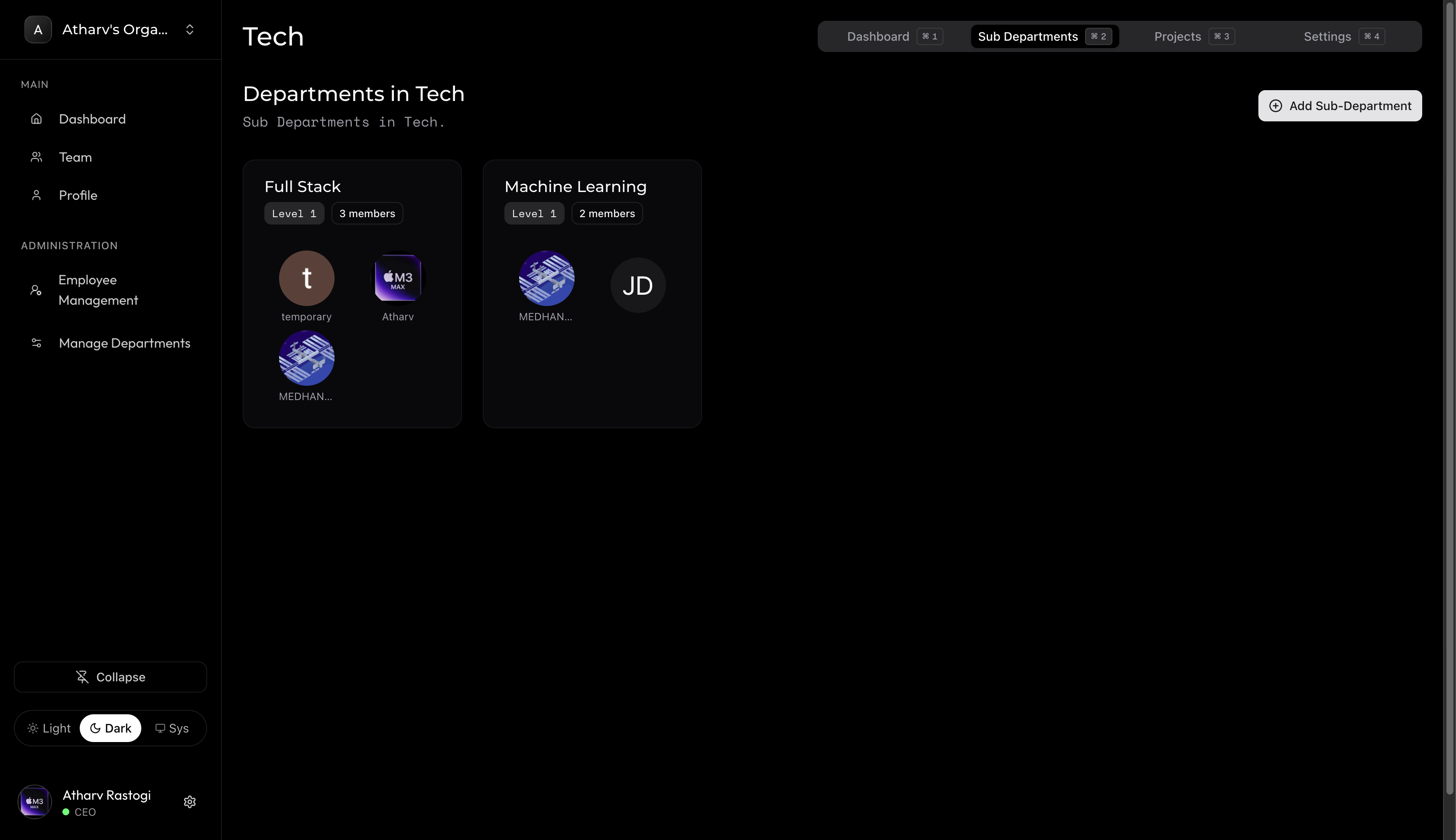
Infinite Nested Departments
You can now create departments within departments — with no limits. Whether you’re structuring by teams, divisions, or specialties, Magnifi now supports deeply nested hierarchies to match your organization’s exact workflow.
Example: Create a Tech Department → Full Stack Team → Frontend Team, and so on.
Fixes and Improvements
🧑🤝🧑 Assignee Filtering in Sub-Departments
We’ve fixed an important issue where users from the parent department were incorrectly showing up in sub-department assignee lists — even if they weren’t explicitly added.Previously:If
Tech Department had members A, B, C, D, E, and Full Stack Team (a sub-department) only had A, C, and D, creating another nested team (e.g., Frontend Team) still showed all A–E members when selecting assignees.Now:Only the users explicitly added to that department (or sub-department) will appear in the member selection list. This ensures precise control and avoids confusion when assigning tasks or projects within deeply nested teams.